JPG → SVG
Convert JPG to SVG, with the grain cleaned and the whole result before you pay
Drop a JPG below. Compression noise is cleaned before tracing, the traced vector renders at full quality — unwatermarked, every control live, no account — and a $9.99/month plan downloads it as SVG, PDF, EPS or hi-res PNG.
The converter
Drop a PNG or JPG hereChoose a PNG or JPG
JPGs are noisy. The tracer knows.
Every JPG carries compression noise: faint blocks and ringing around each edge that a tracer reads as hundreds of tiny shapes. Unpixel starts a JPG upload at 1 pixel of Grain cleanup — a blur applied before tracing, measured on real files to be the cleanest default — and Speckle removal drops what is left. If a result still comes back grainy, the app says so and offers Auto-clean in one click.
The edges that matter survive the cleanup: a logo saved as a JPG traces to the same handful of paths a PNG of it would, with counters open and corners intact.
Logos saved as JPG
The email attachment, the file the designer left behind, the version pulled off a website: one pass of cleanup and it traces to a few clean paths — zero specks on every JPG logo in our corpus.
Scans of ink drawings
B&W mode traces the ink and leaves the paper transparent. Dust on the scan is speckle: Auto-clean and the Speckle slider take it out.
Phone photos of a page
A photo of a whiteboard or a sketchbook carries the room’s lighting. The app detects a shadow across the picture and offers Even lighting, which flattens it before tracing so one side does not trace solid black.
About the white background
A JPG cannot carry transparency, but the SVG can. In B&W and Multi-tone only the ink is traced and the background stays transparent by default — choose Solid background in the Style panel if you want one baked in. In Colour mode the background is its own layer at the bottom of the stack: hide it in the layer panel and the file you download leaves it out.
The preview is free. The file is the paid part.
Every trace renders the complete result at full quality: unwatermarked, every control live, zoomable to 8× with the picture re-rendered from the vector at each step, and an Outlines view that shows the curve network itself. That is the whole free experience, it needs no account, and it is unlimited. The plan is what turns a result into a file.
Free, unlimited
- The full-quality preview of every trace, no watermark
- Every mode and every control, live
- Zoom to 8× and the Outlines view
- The colour layer panel: hide, recolour, merge
- No account, nothing to sign into
The plan
$9.99 / month · USD
- Download SVG, PDF & EPS — unlimited
- PNG at 1–4×; sizes in px, mm or inches
- Full-colour tracing in per-ink layers you can edit
- No account: pay with an email address, keep the link
- Cancel any time; a first subscription has a 14-day no-questions refund
Priced at parity with vectorizer.ai's US plan. Pricing in full.
Measured, not promised
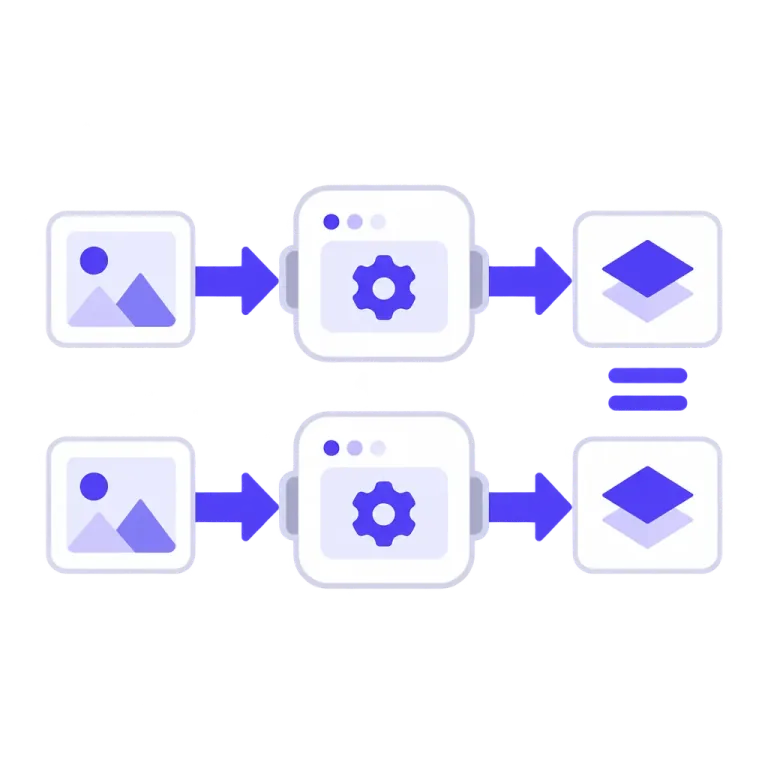
Every change to the tracing engine runs against a fixed corpus of 44 traces before it ships — logos, wordmarks, clip art, scans, screenshots, phone photos — and each row is gated on pixel similarity, edge structure, speck count, anchor count and time. A change that regresses a gate does not ship. Engine v0.20, the version tracing your file today, holds all 44.
- A logo saved as a JPG traces to one path, 61 anchor points and a 2.6 KB file at 99.1% pixel agreement after the 1-pixel cleanup, with zero specks.
- A grainy JPG portrait shreds into 310 specks with cleanup off; the default cleanup leaves 2, and Auto-clean leaves 0.
- A phone photo of a whiteboard scores 48% edge structure on the defaults and 99.9% with Even lighting on — the difference between a black flood and the drawing.
Numbers from our own evaluation corpus, built from our own artwork and measured at engine v0.21. The corpus only grows: hard cases stay in it.
When a JPG does not trace clean
A converter that only shows its good side is not worth the price it asks, so here is the other side. Each of these shows in the preview before any payment.
- Heavy compression — a tiny, much-resaved JPG — leaves blocks larger than the lines. Raise Grain cleanup to 2 or 3 px and accept softer corners, or find a better copy.
- A photograph of a scene comes back posterized: Colour mode builds the file from flat inks, so smooth tone becomes a few flat steps. This converter is for logos, drawings and flat artwork; it is honest about photographs rather than good at them.
- A shadow across a photographed page traces as a black flood on the default settings. The app detects it and offers Even lighting; the fix is one click, but it is a click.
- Tiny type in a tiny image can be eaten by the default speckle removal. Upload the largest version you have, and lower Speckle removal if letters break.
Questions people ask before dropping a JPG
Why is my JPG result speckled or shredded?
JPEG compression leaves grain that a tracer reads as tiny shapes. Grain cleanup blurs it away before tracing and starts at 1 pixel for JPG uploads, because that was measured to be the cleanest default; Speckle removal drops what is left. If a result still looks grainy, the app says so and offers Auto-clean in one click.
Can I remove the white background?
A JPG cannot carry transparency, but the SVG can. In B&W and Multi-tone only the dark ink is traced and the background is transparent by default. In Colour mode the background is its own layer — hide it in the layer panel and the downloaded file leaves it out.
Will it work on a photo of a sketch or a whiteboard?
Usually, with one click. A phone photo carries the room’s lighting — one side darker, a bright spot in the middle — and the app detects that and offers Even lighting, which flattens the lighting before tracing so a shadow does not trace as a black flood.
Photographs of scenes are a different matter: Colour mode posterizes them into flat inks, which is faithful to the tones but not photo-realistic.
Which mode should I use for a scanned drawing?
B&W for ink on paper: one colour, transparent background. Multi-tone for pencil shading or a wash, in two to four grey levels. Colour when the drawing has colour. Colour and shaded artwork opens in Colour mode automatically.
Is the preview really the full result?
Yes. The preview is a server-rendered picture of the finished vector at full quality — no watermark, no reduced detail, every control live. Zoom to 8× and each level is rendered again from the vector; switch on Outlines and you are looking at the curve network itself. What the plan adds is the file.
What does the plan cost, and how do I cancel?
One plan: $9.99 a month in US dollars, priced at parity with vectorizer.ai’s US plan. It unlocks unlimited SVG, PDF, EPS and PNG downloads, with your layer edits applied.
Cancel any time from the billing portal — the link is emailed to you, since there is no account to log into. Access runs to the end of the period you have paid for, and a first subscription has a 14-day no-questions refund. The terms state both.
Do I need an account?
No. Previews need nothing at all. Buying needs an email address at checkout; your access is tied to that address and comes back on any device through a one-time emailed link. There is no password and nothing to sign into.
What happens to my JPG after I upload it?
It is sent to our server, traced in memory and rendered for the preview. It is not written to disk and not kept after the request, beyond a short in-memory cache so that zooming does not trace it again. The privacy page describes exactly what is processed and by whom.
Is there a size limit?
PNG and JPG up to 30 MB. Our hosting platform carries about 4.5 MB in a single request, so a larger file is scaled down in your browser before upload and the app says so next to the original’s size (“traced at 2455×1878”). The SVG is resolution-independent either way; a very large scan is simply traced at reduced resolution.
My iPhone photo is HEIC — will it upload?
Not yet: the converter takes PNG and JPG. Drop a HEIC, AVIF or WebP and the app names the format and asks for a PNG or JPG export instead of failing silently. On an iPhone, sharing or exporting a photo as JPEG is the quickest route.
Drop a JPG and look at the result
The complete vector at full quality, grain cleaned, before you decide anything.
Also: PNG to SVG · SVG converter · the guide to every control